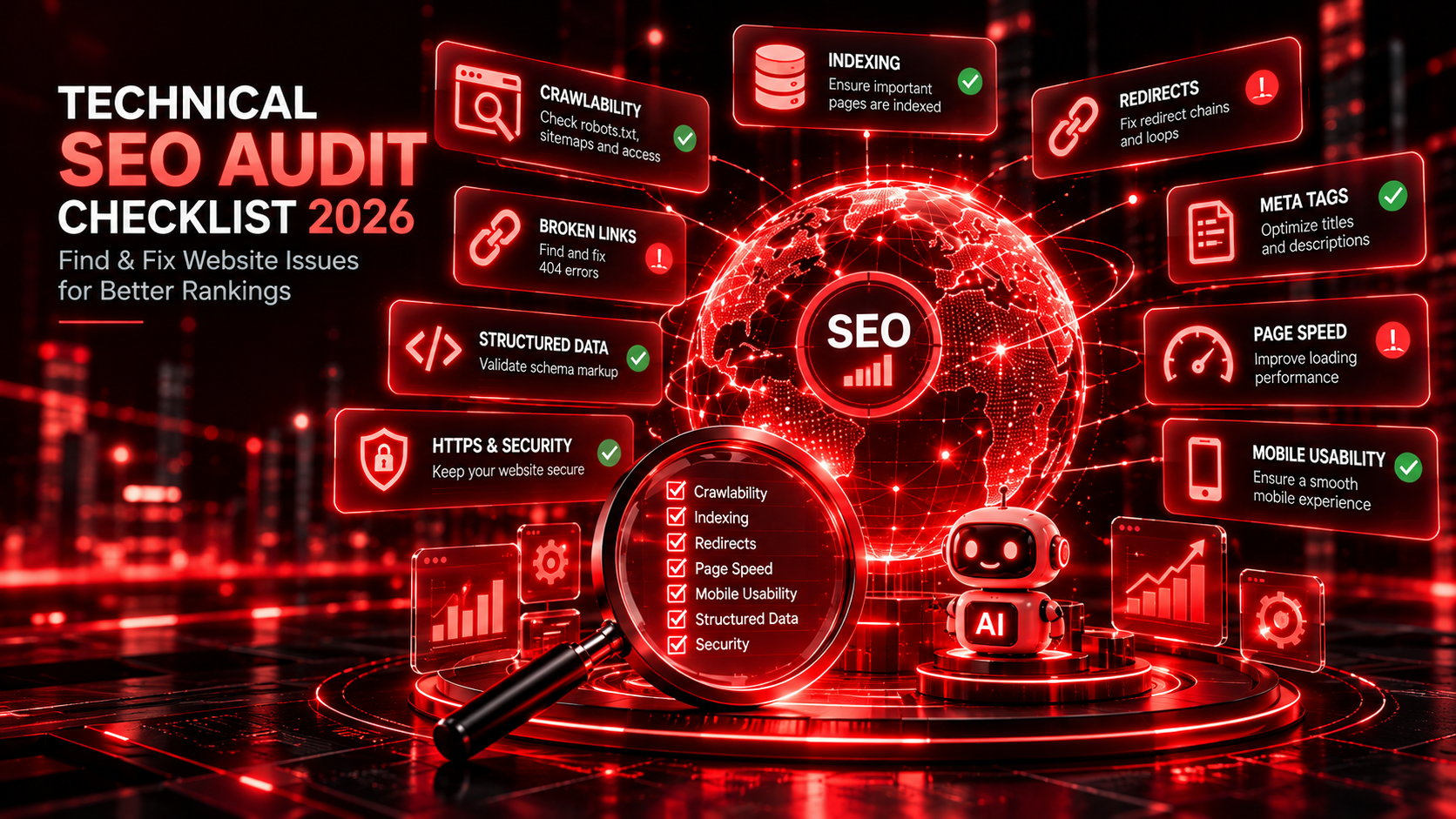
Discover the most common technical SEO problems, how they affect website visibility, and how AI-powered auditing tools can help you identify and resolve them.
Your website may look professional, load correctly on your computer, and contain valuable content. But behind the scenes, technical issues could be preventing search engines from discovering, understanding, or indexing important pages.
Broken links, incorrect redirects, duplicate content, missing metadata, and crawling restrictions are just a few examples.
These problems can affect search visibility, website usability, and the customer experience.
That’s why a technical SEO audit is an essential part of maintaining a healthy website.
In 2026, technical SEO is particularly important as businesses optimize for both traditional search engines and emerging AI-powered discovery experiences.
At KudosCart, we believe website optimization should begin with a strong technical foundation.
Let’s explore 15 technical SEO issues every website owner should check.
A technical SEO audit is a systematic evaluation of the technical factors that influence how search engines access, interpret, and index website content.
Unlike content-focused SEO, technical SEO concentrates on the infrastructure and configuration of a website.
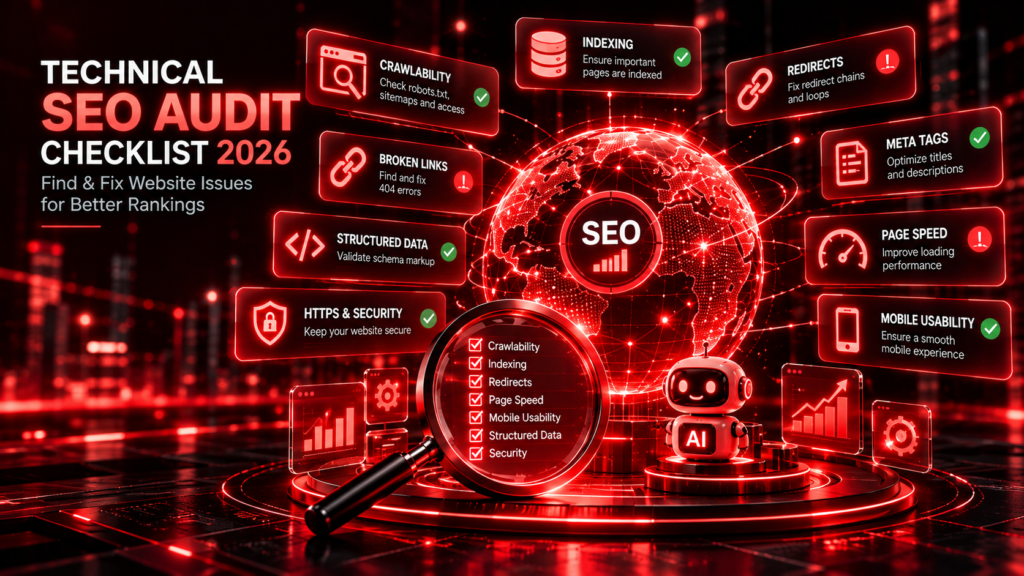
A comprehensive technical audit evaluates:
Website crawlability
Search engine indexing
XML sitemaps
Robots.txt configuration
Canonical URLs
Redirects and broken links
Mobile usability
Website performance
Core Web Vitals
Structured data
Internal linking
Website security
The goal is to identify technical barriers and prioritize improvements.
Imagine investing in a new website, publishing valuable blog posts, and running marketing campaigns.
But your important service pages are accidentally marked noindex.
Search engines may be unable to include those pages in their indexes, regardless of how helpful the content is.
Similarly, slow-loading pages, broken navigation, and incorrect redirects can create frustrating experiences for potential customers.
A technical SEO audit helps businesses identify these problems and improve the foundation of their digital presence.
Technical improvements do not guarantee higher rankings, but they can remove barriers that prevent websites from performing effectively.
A page that isn’t indexed generally cannot appear as a normal organic search result.
Common causes include:
Accidental noindex directives
Crawling restrictions
Duplicate or low-value content
Incorrect canonical URLs
Server errors
How to check: Review Google Search Console’s Page Indexing report and inspect important URLs.
Recommended action: Investigate the reported reason before making changes. Not every excluded URL needs to be indexed.
The robots.txt file communicates crawling instructions to compatible search engine crawlers.
An incorrect rule may prevent crawlers from accessing important content.
For example, a sitewide Disallow: / rule can block crawling across the website.
How to check: Review the robots.txt file and test important URLs using appropriate crawler tools.
Recommended action: Allow crawling of public pages that should be discoverable while keeping genuinely restricted areas protected.
An XML sitemap helps search engines discover important URLs.
However, a sitemap does not guarantee indexing.
Common sitemap problems include:
Missing important pages
URLs returning errors
Redirected URLs
Noncanonical URLs
Outdated page references
Recommended action: Maintain an accurate XML sitemap containing important canonical URLs and submit it through Google Search Console.
Broken links lead visitors and crawlers to unavailable pages.
They can interrupt navigation and reduce the effectiveness of internal linking.
How to check: Crawl your website and review internal links returning 4xx errors.
Recommended action: Update incorrect links, restore important missing pages, or redirect outdated URLs when an appropriate replacement exists.
Redirects are useful when website URLs change.
However, unnecessary redirect chains can add requests and slow navigation.
Redirect loops can make pages inaccessible.
Recommended action: Update internal links to point directly to the final destination and eliminate unnecessary redirect steps.
Multiple URLs may display identical or very similar content.
Examples include:
HTTP and HTTPS versions
URLs with tracking parameters
Duplicate product pages
Inconsistent trailing slashes
Multiple accessible URL variations
Canonical tags help indicate the preferred URL among duplicate or similar pages.
Recommended action: Use consistent internal links, appropriate redirects, and accurate canonical tags.
Website speed affects user experience.
Large images, excessive scripts, slow server responses, and inefficient resources can increase loading times.
How to check: Use Google PageSpeed Insights and Chrome DevTools.
Recommended action: Optimize images, reduce unnecessary scripts, improve caching, and investigate server performance.
Core Web Vitals measure important aspects of real-world user experience.
Three key metrics are:
| Metric | What It Measures | Good Threshold |
|---|---|---|
| Largest Contentful Paint (LCP) | Main content loading | 2.5 seconds or less |
| Interaction to Next Paint (INP) | Responsiveness | 200 milliseconds or less |
| Cumulative Layout Shift (CLS) | Visual stability | 0.1 or less |
These thresholds are evaluated using real-user data at the 75th percentile.
Recommended action: Investigate poor-performing pages and prioritize improvements that benefit actual visitors.
Many customers browse websites using mobile devices.
Common problems include:
Content extending beyond the screen
Difficult navigation
Small interactive elements
Overlapping content
Intrusive pop-ups
Recommended action: Test important pages across mobile screen sizes and ensure layouts are responsive and accessible.
Page titles help search engines and users understand a page’s topic.
Generic or duplicate titles may make it harder to distinguish pages.
Recommended action: Write descriptive, unique titles that accurately reflect each important page.
Avoid excessive keyword repetition.
Headings help organize information.
Common issues include missing descriptive headings, inconsistent hierarchy, and headings used only for visual styling.
Recommended action: Use a clear main heading and logical supporting headings that reflect the page’s content.
Alternative text helps describe meaningful images to people using assistive technologies.
It can also provide useful context for image search.
Recommended action: Write concise, descriptive alt text for informative images. Decorative images generally do not require descriptive alt text.
Structured data provides machine-readable information about certain page elements.
Examples include:
Organization
LocalBusiness
Product
Article
BreadcrumbList
Incorrect schema markup can create validation problems or make information harder to interpret.
How to check: Use Google’s Rich Results Test and Schema Markup Validator.
Recommended action: Implement relevant structured data that accurately matches visible content.
Structured data does not guarantee rich results or AI citations.
Internal links help visitors navigate a website and allow crawlers to discover related content.
Poor internal linking may leave important pages difficult to reach.
Recommended action: Connect related service pages, blog articles, and resources using descriptive anchor text.
For example, an article about AI-powered websites could link to a technical SEO audit guide and an SEO vs. AEO comparison.
HTTPS protects data transmitted between visitors and websites.
Security configuration issues can also affect user trust and accessibility.
Common problems include:
Expired SSL certificates
Mixed-content warnings
Insecure resources
Incorrect HTTP-to-HTTPS redirects
Recommended action: Maintain valid HTTPS certificates, resolve mixed content, and ensure secure URLs are used consistently.
Use this checklist when reviewing your website.
| Audit Area | What to Check |
|---|---|
| Indexing | Important pages are indexable |
| Robots.txt | No unintended crawl blocks |
| XML Sitemap | Accurate canonical URLs |
| Broken Links | No important broken internal links |
| Redirects | No loops or unnecessary chains |
| Canonicals | Preferred URLs are consistent |
| Page Speed | Important pages load efficiently |
| Core Web Vitals | LCP, INP, and CLS performance |
| Mobile Usability | Responsive, accessible layout |
| Title Tags | Descriptive and unique |
| Headings | Logical content hierarchy |
| Image Alt Text | Meaningful image descriptions |
| Structured Data | Relevant and valid markup |
| Internal Linking | Important pages are discoverable |
| HTTPS | Secure and correctly configured |
Traditional SEO and Answer Engine Optimization share important technical foundations.
AI-powered search experiences may rely on crawled or retrieved web information.
If important content is inaccessible, poorly structured, or technically unreliable, it may be harder for compatible systems to discover and interpret.
Technical factors that can support AI search readiness include:
Crawler Accessibility: Ensure your website’s crawling policies align with your visibility objectives.
Semantic HTML: Use meaningful headings, links, and content structures.
Structured Data: Describe supported entities and information accurately.
Clear Content Organization: Make relevant information easy to locate.
Consistent Business Details: Maintain accurate information about your organization, services, and contact details.
Technical optimization is only part of AEO. Content quality, accuracy, relevance, and credibility remain essential.
Traditional website auditing often involves manually checking individual pages or working across multiple tools.
Automated crawlers can help identify technical problems across many URLs.
AI-assisted analysis can further support issue categorization, reporting, and prioritization.
Potential applications include:
Multi-page website crawling
Broken-link detection
Metadata analysis
Heading structure evaluation
Canonical tag checks
Sitemap analysis
Structured data inspection
AEO readiness reviews
Issue reporting and prioritization
However, automated findings require interpretation.
Not every warning is a critical SEO problem, and not every suggested fix is appropriate for every website.
At KudosCart, we’re developing Bliss Rank AI, an AI-powered website auditing solution designed to make website analysis more accessible and actionable.
Our vision is to bring website auditing, technical SEO, advanced AEO, website quality assurance, and competitor intelligence into one organized platform.
Bliss Rank AI is designed to help users:
Understand website health
Identify technical issues
Review SEO optimization opportunities
Evaluate AEO readiness
Organize website quality findings
Prioritize improvements
Whether you’re managing a business website or working with multiple clients, organized audit reports can help simplify website optimization workflows.
Explore Bliss Rank AI: https://kudoscart.com/blissrankai/
Audit frequency depends on website size, complexity, and how often content changes.
| Website Type | Suggested Frequency |
|---|---|
| Small business website | Every 2–3 months |
| Service business website | Monthly |
| E-commerce website | Weekly or monthly |
| Frequently updated website | Monthly |
| Newly redesigned website | Before and after launch |
| Large enterprise website | Regular automated monitoring |
These are practical guidelines rather than strict rules.
Additional audits are useful after migrations, major design changes, unexplained traffic declines, or significant technical updates.
A technical SEO audit focuses on crawling, indexing, performance, and website configuration.
An on-page SEO audit focuses on content, headings, metadata, and page relevance.
Both contribute to a comprehensive SEO strategy.
Technical improvements can remove barriers to crawling, indexing, and usability. However, higher rankings are not guaranteed.
Yes. WordPress websites can experience indexing issues, plugin conflicts, broken links, performance problems, and configuration errors.
AI-assisted auditing systems can help identify and organize many technical issues, particularly when combined with reliable crawling and validation tools.
No. Audit scores are diagnostic indicators. Search rankings depend on many factors, including content relevance, competition, and search intent.
Yes. Accessible and well-structured websites provide a stronger foundation for traditional search and compatible AI discovery systems.
Technical SEO is not simply about fixing errors.
It is about creating a reliable foundation that allows visitors and search engines to access, navigate, and understand your website.
Regular technical audits help businesses identify problems, improve website usability, and support long-term search visibility.
As AI-powered search continues to evolve, technical accessibility and content quality will remain important.
At KudosCart, we believe smarter website optimization begins with understanding what needs improvement.
Explore Bliss Rank AI, our AI-powered website, SEO, and AEO auditing solution.
Explore Bliss Rank AI: https://kudoscart.com/blissrankai/
Visit KudosCart: https://kudoscart.com/
Smarter Websites. Better Optimization. Sustainable Growth.